The sign-up sheet on the office door
Only the people who walk past it know what’s booked, and nobody can check it from home.
Classrooms, labs, the main hall, the courts. Staff see what’s free right now, request it in a few clicks, and the right person approves. Double bookings get caught before anyone turns up to a full room.
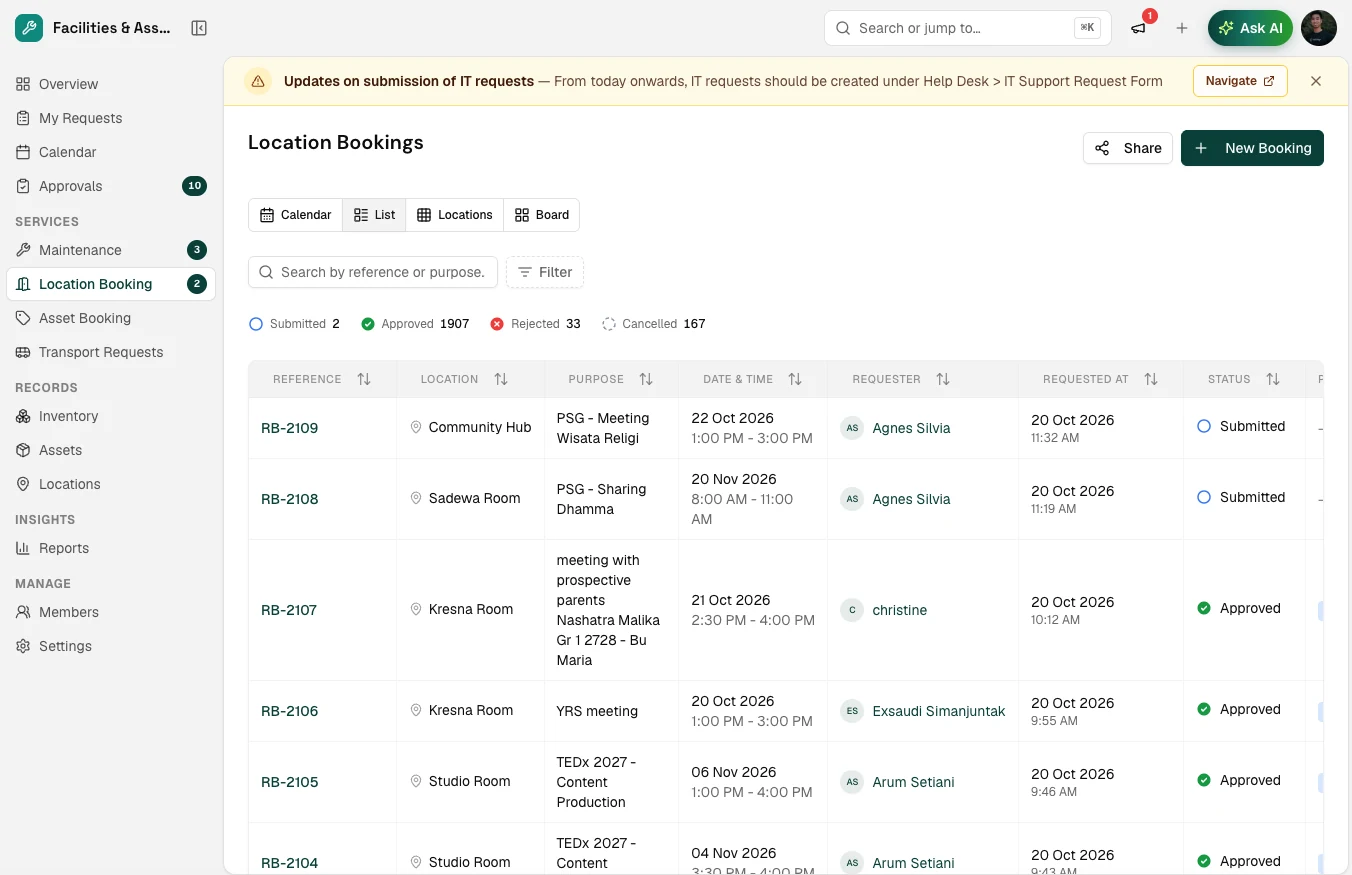
Most schools juggle a paper sign-up sheet, a shared spreadsheet, and whoever answers the facilities chat first. It works until two classes turn up to the same lab.
Only the people who walk past it know what’s booked, and nobody can check it from home.
Two departments both “had it first”, and the event lead finds out at the door.
Some spaces are fought over every week while others sit empty, and there’s no data to plan from.
No walking to the office or checking the sheet on the door. See what’s free for Thursday’s practical, pick a slot and add the class. If the room needs approval, the request goes straight to the right person.

No walking to the office or checking the sheet on the door. See what’s free for Thursday’s practical, pick a slot and add the class. If the room needs approval, the request goes straight to the right person.
Requests for restricted spaces land in one queue with the purpose, time and requester. Approve, decline or suggest another room, and the requester hears back straight away.

Requests for restricted spaces land in one queue with the purpose, time and requester. Approve, decline or suggest another room, and the requester hears back straight away.
Utilisation reports show which rooms are booked every week and which sit empty, so timetabling and renovation decisions start from data instead of anecdotes.

Utilisation reports show which rooms are booked every week and which sit empty, so timetabling and renovation decisions start from data instead of anecdotes.
Search the live calendar and filter by building, capacity or amenities.
Pick a time and add a purpose. Overlaps are flagged before you submit.
Restricted rooms go to their approver, who accepts or declines in one click.
Utilisation reports show which spaces are over-subscribed and which sit idle.
Built for timetabled schools with shared halls, labs and fields, not for meeting rooms in an office.
One calendar for every room, hall, lab and court, with calendar, list, location and board views.
Overlapping requests are flagged before they’re confirmed, so the same space can’t be booked twice.
Gate the main hall and auditorium behind an approver while ordinary classrooms stay self-service.
Rooms, halls and outdoor areas across buildings and campuses, each with its capacity and amenities.
Approvers hear about new requests straight away, and requesters hear back the moment it’s decided.
See which spaces are over-subscribed and which go unused, and plan timetables and renovations from data.
Relyant’s AI Agent reads the same booking calendar your team uses. Ask it what’s free, and it drafts the booking for a person to approve. It never books on its own.
A room booking system for schools is software that shows staff which classrooms, labs, halls and courts are free in real time, lets them request a space, and applies approval rules to restricted or high-demand rooms. It replaces sign-up sheets, shared spreadsheets and email chains with one calendar everyone can see.
Leave your email and we’ll set up a demo with your own rooms and approval rules.
See pricing