Procurement shouldn't run on email threads and paper forms
Your team raises purchase requests via email, paper forms, or verbal asks. Approvals stall in inboxes, nobody knows what's been ordered, and budget tracking happens retroactively in spreadsheets.
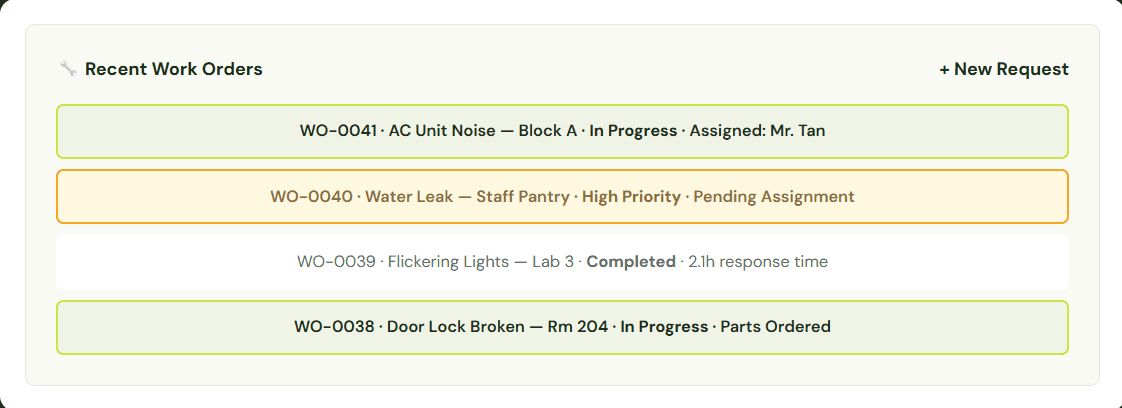
Maintenance requests shouldn't disappear into WhatsApp
Your team logs issues via text messages, paper forms, and verbal requests. Half get lost, none are tracked, and nobody knows what's been fixed until something breaks again.
Before
🔴 Purchase requests lost in email threads
🔴 No visibility into approval status or bottlenecks
🔴 Manual follow-up on every order
🔴 No spend data until month-end reconciliation
🔴 Paper forms with missing details and no audit trail
🔴 Duplicate orders for the same items
After
🟢 Every request logged with requester, approver, and timestamp
🟢 Real-time dashboard for all pending, approved, and received orders
🟢 Auto-notifications for assignments and updates
🟢 Live budget tracking by department and category
🟢 Digital forms with required fields — no missing info
🟢 Duplicate detection and purchase history at your fingertips
From request to delivery in 3 steps
Anyone can submit a request. Your ops team stays in control.
1
Raise a Request
Staff select items, specify quantity and budget line, add notes — and it's submitted for approval instantly.
2
Approve & Order
Approvers see full context: who's requesting, what, why, and the cost. Approve, reject, or request changes in one click.
3
Receive & Close
Mark items as received, attach invoices, and the order closes automatically. Data feeds into reports and inventory.
Built for facilities teams, not IT departments
Every feature designed for the people who actually fix things.
📋
Request & Approval Workflow
Staff raise requests. Approvers review with full context. Multi-level approval chains for high-value orders.
📈
Budget Tracking
Track spend by department, category, and period. See remaining budget before approving.
📦
Order Tracking
Monitor every PO from approved to ordered to received. Know where things stand at a glance.
🏢
Vendor Management
Maintain a vendor directory with contact info, past orders, and performance notes.
📊
Performance Reports
Spending by vendor, department, category, and time period — exportable and audit-ready.
📱
Mobile Ready
Raise requests and approve orders from your phone. No laptop required.
How Beacon Academy eliminated procurement chaos
Before Relyant, Beacon Academy tracked purchases across Excel spreadsheets and paper forms. Orders were raised informally, approvals were verbal, and reconciling what was bought against what arrived meant digging through filing cabinets. When parts were used from inventory, nobody updated the records — leading to duplicate orders and surprise stockouts.
After switching to Relyant's Purchase Order module, every request follows a structured approval flow with full audit trail. Received orders sync directly to their inventory system, so stock levels stay accurate without manual updates.
"We were drowning in paper forms and Excel sheets trying to track what was ordered and what we had in stock. Now purchase orders flow straight into our inventory — no more double-ordering, no more guesswork."
— Leonita Savira, Head of Finance, Beacon Academy
70%
Faster Approval Turnaround
100%
Digital Audit Trail (Zero Paper Forms)
3 hrs
Saved Weekly on Reconciliation
Works even better with
CMMS is just the foundation — connect it with other modules for a complete operations platform.
📦
Inventory Management
Track spare parts tied to work orders
Features :
✓ Low-stock alerts trigger PO drafts
✓ Parts deducted from inventory updates
✓ Purchase history for every spare part
💻
Equipment Loans
Track equipment tied to maintenance needs
Features :
✓ Check existing equipment before purchasing
✓ Asset registry prevents unnecessary spend
✓ Link new purchases to the equipment catalog
🛠️
CMMS
Link purchases to maintenance jobs
Features :
✓ Create POs directly from work orders
✓ Track parts cost per repair
✓ Maintenance spend reports by asset
Frequently Asked Questions
Common questions about our CMMS software and how it can help your facilities team.
What is purchase order software and who is it for?
Purchase order software digitizes the process of requesting, approving, and tracking purchases. It replaces email-based approvals and spreadsheet tracking with a structured workflow so nothing falls through the cracks. It's built for operations teams, admin staff, and finance managers at schools and SMBs.
Does the PO module connect to Inventory?
Absolutely. When inventory items hit low-stock thresholds, Relyant can auto-generate a purchase request. When orders are received, inventory counts update automatically.
Can I set up multi-level approval workflows?
Yes. You can configure approval chains based on order value, department, or category. For example, requests under $500 go to a department head; above $500 requires additional finance approval.
How long does setup take?
Most teams are live within 24–48 hours. We configure your approval workflows, import vendor lists, and train your team. No IT project required.
See it in action
Join operations teams who've replaced email approvals with real procurement visibility.
⚡
Setup in under 24 hours
💳
No credit card required
🔒
Enterprise-grade security
🎯
99.9% uptime SLA