Smart Room Booking System for Facilities Teams
Stop the email chains and double bookings. Let your team reserve spaces in seconds, not minutes.
Meeting rooms shouldn't be this complicated
Your team wastes 20+ minutes daily hunting for available spaces, ping-ponging emails, and showing up to double-booked rooms.
Before
🔴 Checking room availability via email or WhatsApp
🔴 Double bookings discovered when someone walks in
🔴 No visibility into which rooms are free right now
🔴 Paper sign-up sheets no one checks
🔴 Recurring meetings rebooked manually every week
🔴 No data on room utilisation or peak times
After
🟢 Real-time availability across all rooms and spaces
🟢 Conflict detection blocks double bookings automatically
🟢 Instant confirmation sent to the booker via email and in-app
🟢 Recurring bookings set up once for the entire term or quarter
🟢 Shared calendar gives admins full visibility at a glance
🟢 Utilisation reports show which rooms are overused or sitting empty
Turn a Need to confirmed booking in 3 steps
Anyone can book a room. Your ops team stays in control
1
Find a Room
Staff browse available rooms by date, time, capacity, or amenities — from any device. No need to email anyone.
2
Book & Confirm
Select the room, pick a time slot, and submit. If approval is required, the request routes to the right person automatically. Otherwise, it's confirmed instantly.
3
Show Up & Use It
The booker gets a confirmation with room details. Admins see the booking on the shared calendar. After use, the room is freed up for the next booking.
Helping organizations run their events smoother
Every feature designed for the teams that actually manage shared spaces.
📅
Real-Time Availability
See which rooms are free right now, today, or next week — in calendar or list view.
🚫
Conflict Detection
The system blocks overlapping bookings automatically.
🔁
Recurring Bookings
Set up weekly staff meetings or term-long class schedules in one go.
✅
Approval Workflow
Route bookings through department heads or facilities managers when required.
🏫
Room Profiles
Each room listing shows capacity, equipment photos, and bookings calendar.
📊
Mobile Ready
See which rooms are overbooked, underused, or trending. Make data-driven decisions.
How Sekolah Victory Plus cut Eliminated Double Bookings across 100+ rooms time by 60%
Before Relyant, Sekolah Victor Plus admin team managed room bookings through a shared Google Sheet and email requests. With 100+ bookable spaces across two campuses, double bookings happened weekly — sometimes discovered only when two classes showed up at the same room.
After switching to Relyant's Room Booking module, every room has a live availability calendar. Teachers book directly from their phone or laptop, and the system blocks any conflicting time slots. The admin team no longer spends their mornings resolving scheduling conflicts.
Booking volume increased by 25% because teachers stopped avoiding the process. And for the first time, the school has data on which rooms are underused — informing their decision to convert two empty meeting rooms into a student study space.
"Teachers actually book rooms now instead of just hoping one is free. That alone was worth the switch."
— Exsaudi Simanjuntak., Executive Administrator, Sekolah Victory Plus
0
double bookings per month
100+
rooms actively booked
5 hours
Admin time saved weekly
Works even better with
CMMS is just the foundation — connect it with other modules for a complete operations platform.
🔧
CMMS
Prepare rooms before and after every event
Features :
✓ Create work orders to set up a room before a booking
✓ Auto-create work orders to reset the room after use (clean, restock, inspect)
✓ Rooms with open maintenance issues are flagged or blocked from booking
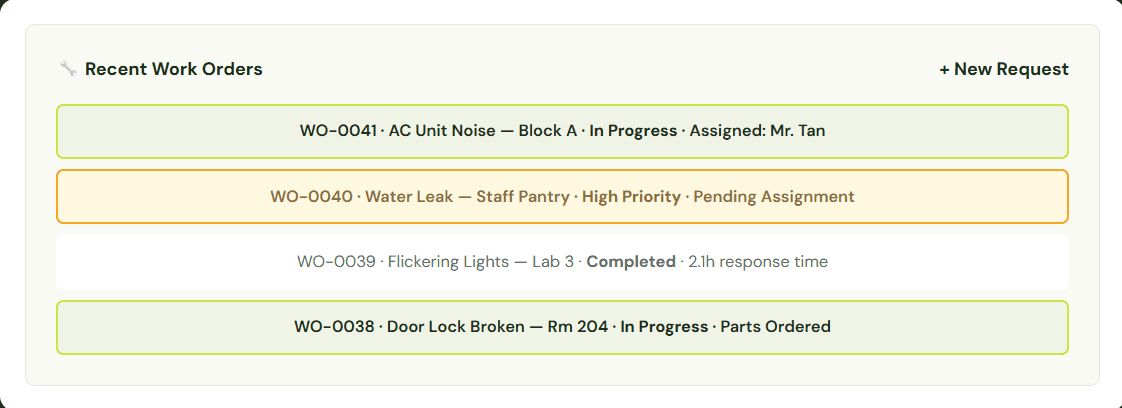
✓ Facilities team sees the booking calendar and work orders in one view
💻
Equipment Loans
Book the room and the gear together
Features :
✓ Reserve projectors, laptops, or AV kits alongside the room in one request
✓ See equipment availability before you confirm the booking
✓ Track what equipment is assigned to which room and event
✓ Return reminders ensure gear is back and ready for the next booking
🧩
Custom
Build your own workflow on top of Room Booking
Features :
✓ Add custom form fields to capture event-specific details (catering , AV requirements)
✓ Create custom approval flows for special spaces like auditoriums or board rooms
✓ Build automated notifications for stakeholders (security, catering, IT support)
✓ Design your own post-booking checklist or feedback form
Frequently Asked Questions
Common questions about our CMMS software and how it can help your facilities team.
What types of spaces can I manage with Room Booking?
Any space your organisation shares — classrooms, meeting rooms, conference rooms, labs, sports halls, auditoriums, and outdoor spaces. Each room can have its own profile with capacity, amenities, and photos.
Can teachers book rooms themselves, or does admin handle it?
Both. You decide per room or per user. Some rooms can be set to auto-approve (e.g., general meeting rooms), while others require admin approval (e.g., the auditorium or science labs). Teachers see only the rooms they have permission to book.
How does the system prevent double bookings?
When someone selects a time slot, the system checks for conflicts in real time. If the slot is taken, it's greyed out and unavailable. There's no way to accidentally overlap bookings.
How does the system prevent double bookings?
When someone selects a time slot, the system checks for conflicts in real time. If the slot is taken, it's greyed out and unavailable. There's no way to accidentally overlap bookings.
Does Room Booking work on mobile?
es. Staff can browse availability, make bookings, and receive confirmations from their phone or tablet. The interface is optimised for quick mobile use.
What reports are available?
You can see room utilisation rates, peak booking times, most/least used rooms, cancellation rates, and booking volume by department. Reports export to CSV or PDF for board presentations.
See it in action
See how your team can book rooms in seconds — not emails./
⚡
Setup in under 24 hours
💳
No credit card required
🔒
Enterprise-grade security
🎯
99.9% uptime SLA